How to Connect MetaTrader 5 to BitStat with an Investor Password
Connect a supported MT5 broker account using the account login, read-only Investor Password, and exact server name.
Last updated:
MetaTrader 5 connects differently from a crypto exchange. Instead of an API key, BitStat uses three values from a supported broker account: the MT5 login, a read-only Investor Password, and the exact server name.
Use only the Investor Password. MetaTrader defines it as read-only access without trading operations. Never enter the master trading password for a journal connection.
1. Sign in to the broker cabinet
Open the official website of the broker that issued the MT5 account and sign in to the personal cabinet. Account credentials are usually available in the welcome email, account details, or platform access section.
BitStat supports MT5 accounts only when the broker and server can be reached by the integration. If a connection fails even with correct credentials, confirm broker support before changing passwords.
2. Collect the three connection values
Find and copy these values exactly:
- Login — the numeric MT5 account identifier.
- Investor Password — the account password that provides read-only access.
- Server name — the complete broker server, including any Live, Demo, region, or numeric suffix.
The server name must match the account. Similar names can point to different environments, so do not shorten or guess it.
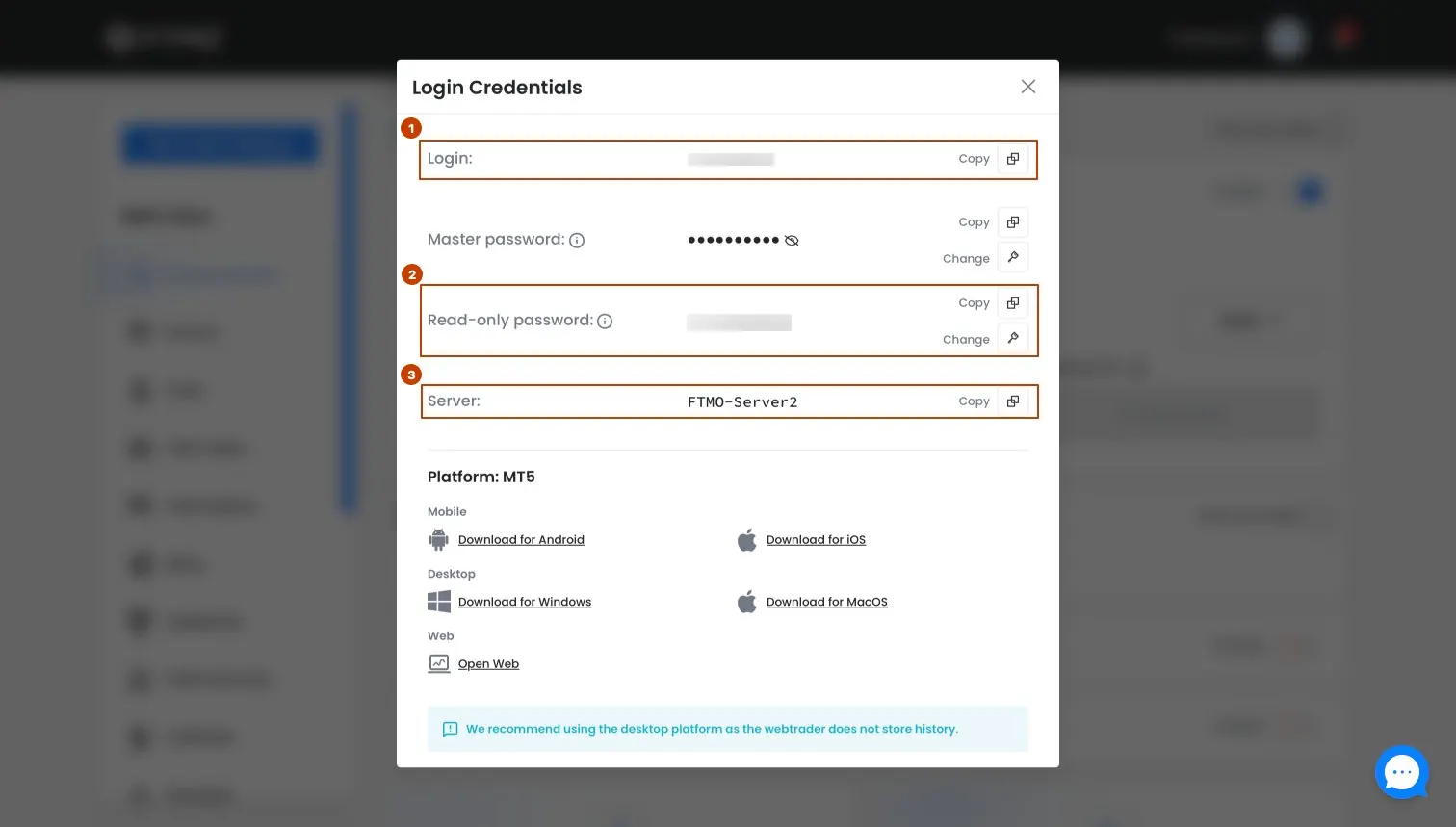
If the Investor Password is missing
Check the account settings in MetaTrader 5 or contact the broker support team. Ask for the MT5 Investor Password or read-only password for the exact account login. If the broker does not offer read-only credentials, do not use the master password as a substitute.
3. Connect MetaTrader 5 in BitStat
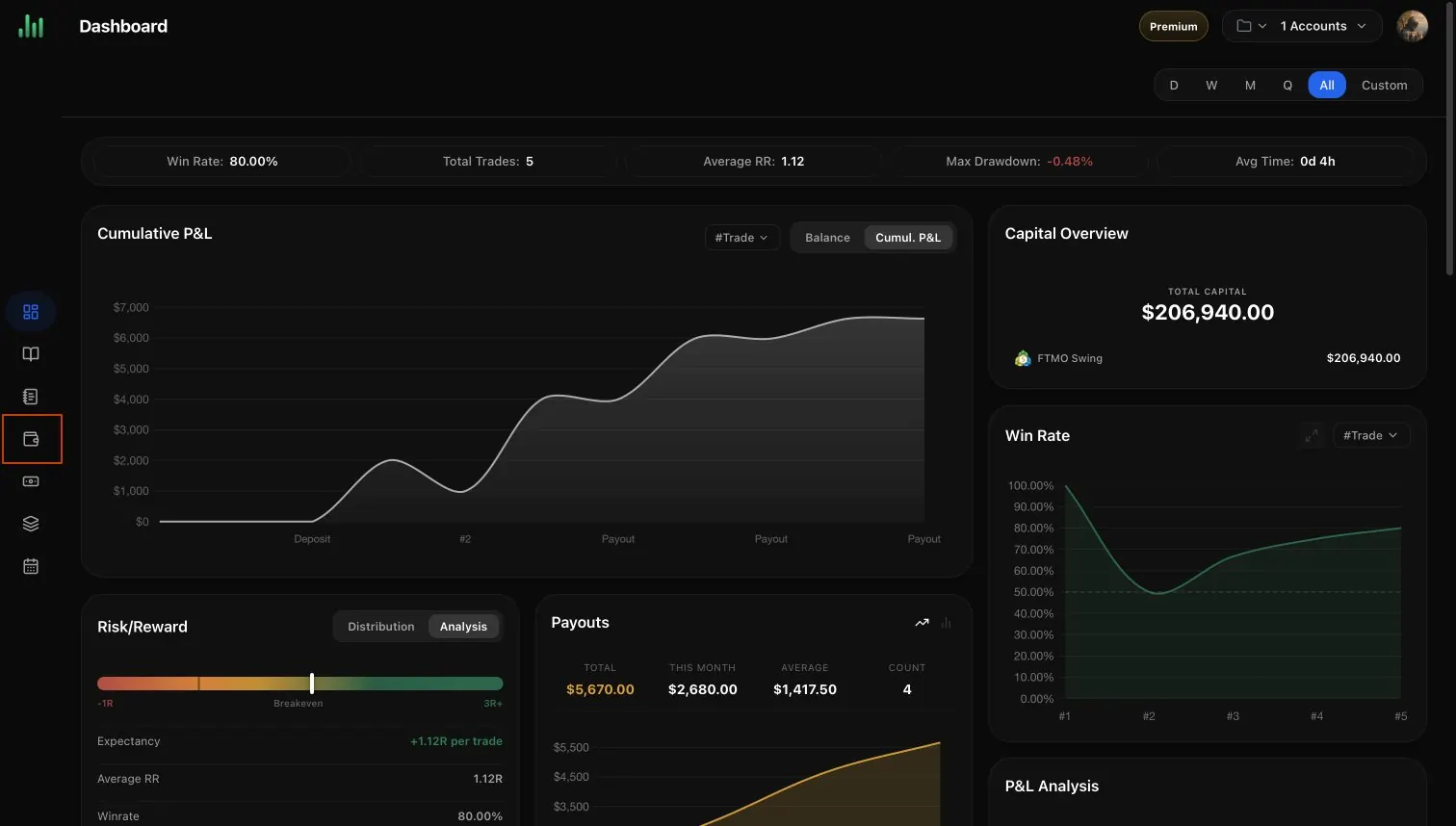
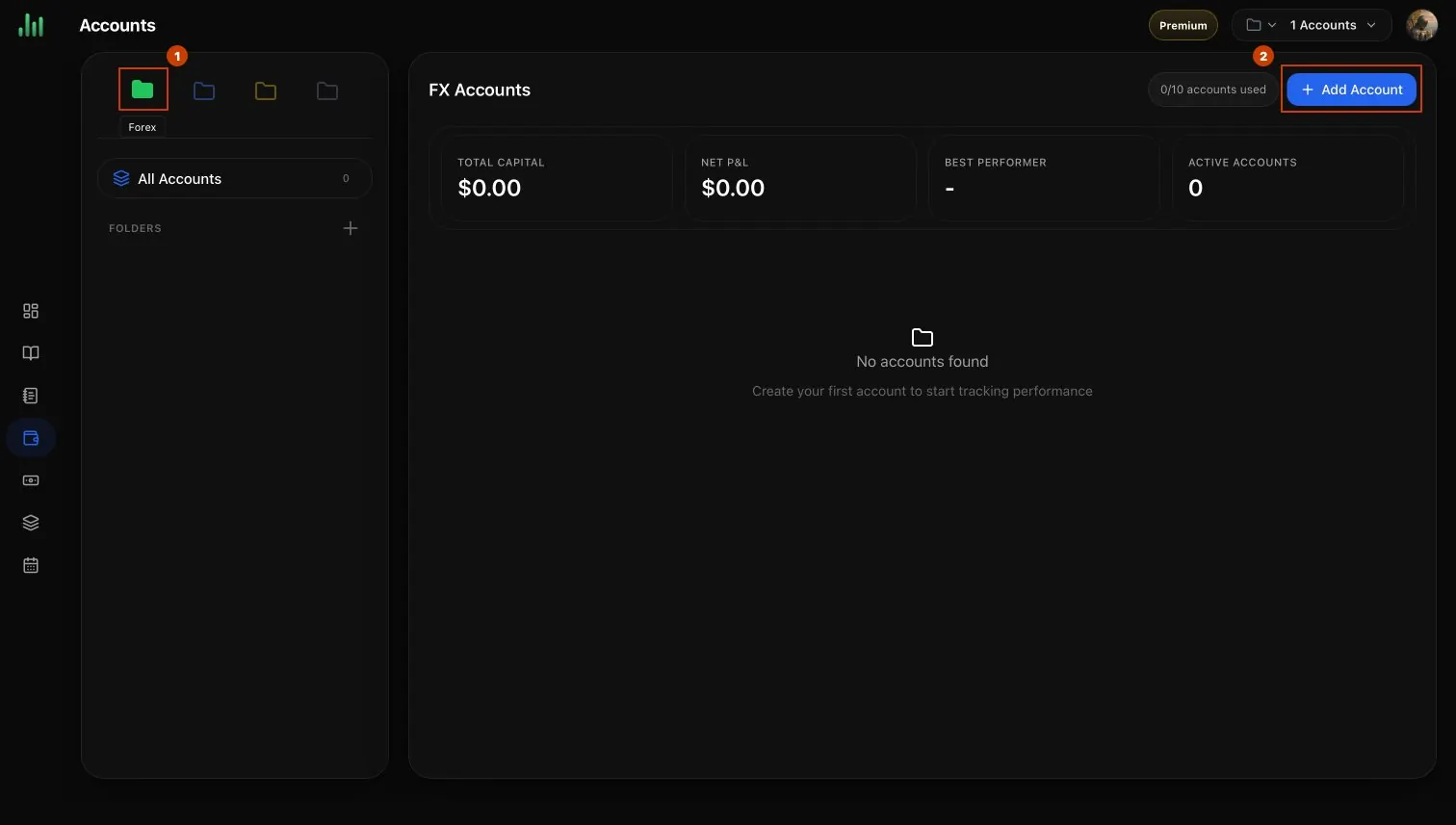
In BitStat, open Accounts, select the FX tab, and choose Add Account. Select MetaTrader 5, enter an account name, then paste the Login, Investor Password, and Server. Select Connect Account.
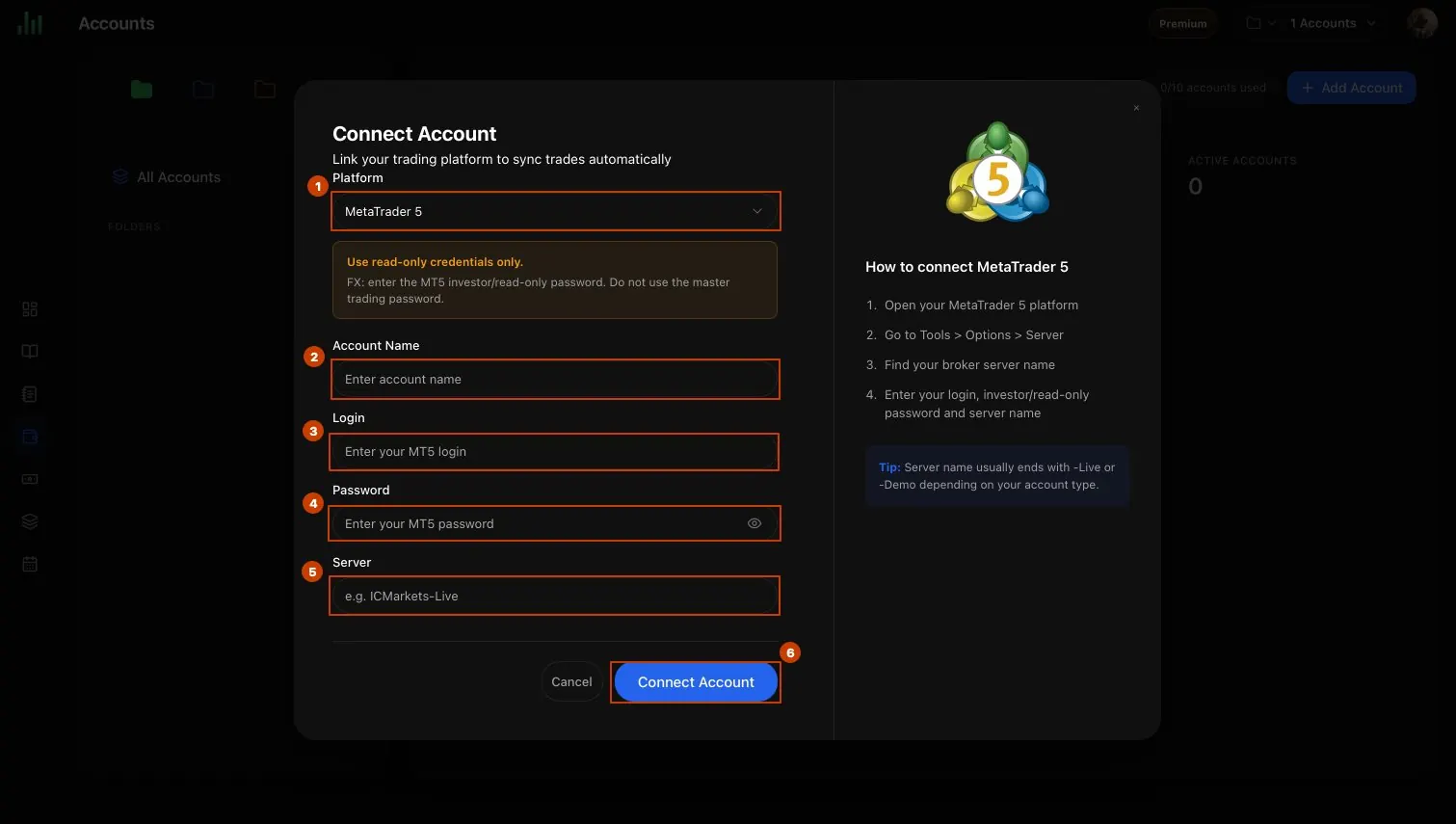
After a successful connection, BitStat will begin synchronizing the available account history. The first import can take a few minutes.
What to check if the connection fails
- The Login belongs to the selected MT5 account.
- The password is the Investor Password, not the master password.
- The server name is copied in full and matches the account environment.
- The broker and server are supported by the BitStat MT5 integration.
Frequently asked questions
What is an MT5 Investor Password?
Should I enter my master trading password?
Where can I find the exact MT5 server name?
What if my broker does not provide an Investor Password?

BitStat Team
Practical research and repeatable workflows for traders who want evidence behind every decision.
One-Step vs Two-Step Prop Firm Challenges: What Actually Changes
Most comparisons stop at phase count, but the profit target split, drawdown type, minimum trading days, and consistency rules can all differ between one-step and two-step versions of the same program. Real numbers from FTMO and FXIFY, and a decision framework for which format fits which trader.
Backtesting vs Trade Journaling: Why You Need Both
Backtesting simulates a strategy against historical price data before any capital is risked; a trading journal records what actually happened once real orders were placed. Why the two are complementary, not interchangeable, and how to use them together.
What Is Revenge Trading?
Revenge trading is placing a trade specifically to recover a recent loss, rather than because the setup meets the trader's own rules. Covers the precise definition, how it differs from a deliberate martingale-style sizing strategy, and how it compares to FOMO and overtrading.