Connect Bybit
Step-by-step guide to connecting your Bybit account via API. Takes about 5 minutes.
1
Log in to Bybit
Go to bybit.com and log in. Make sure 2FA is enabled — it is required for API key creation.
2
Open API Management
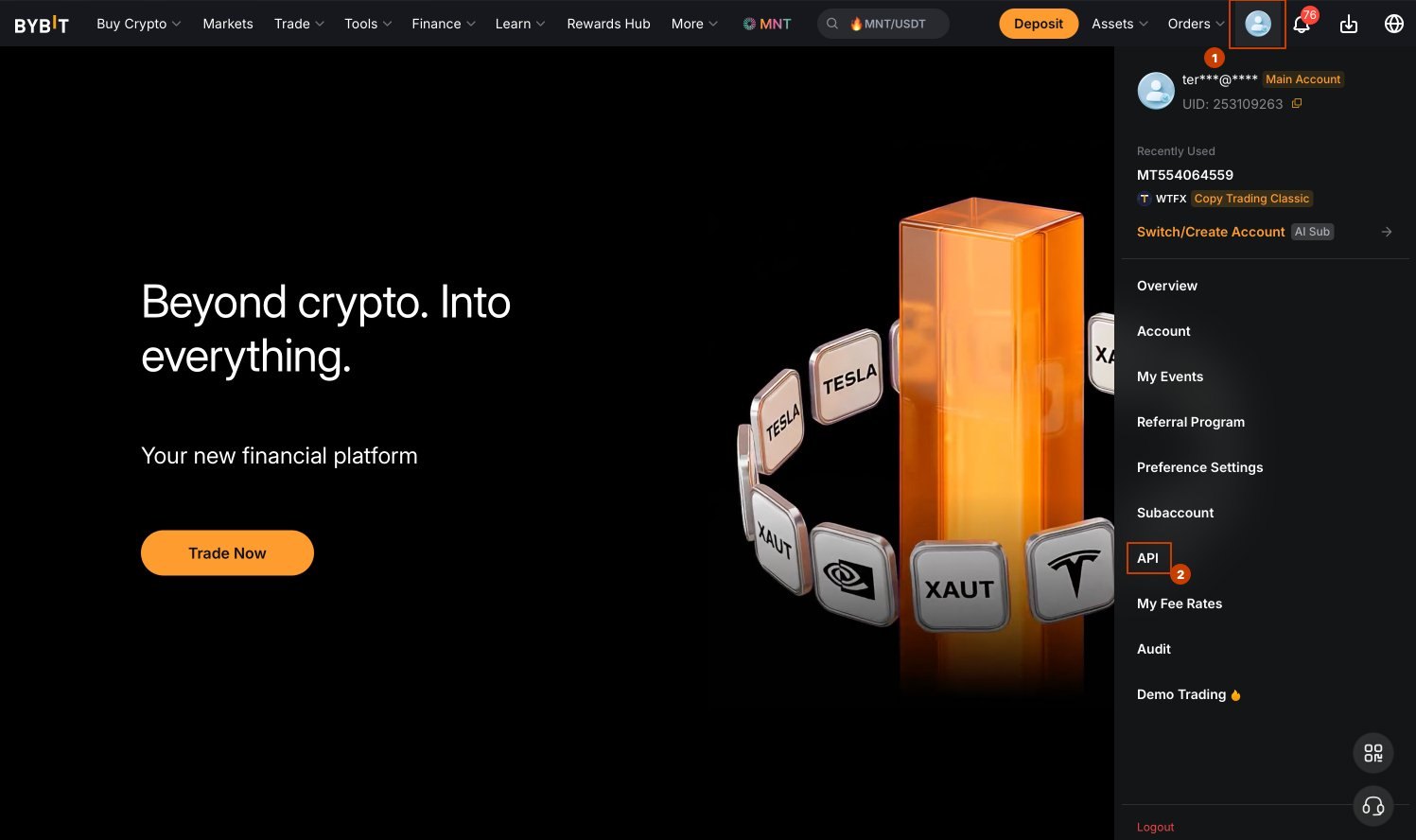
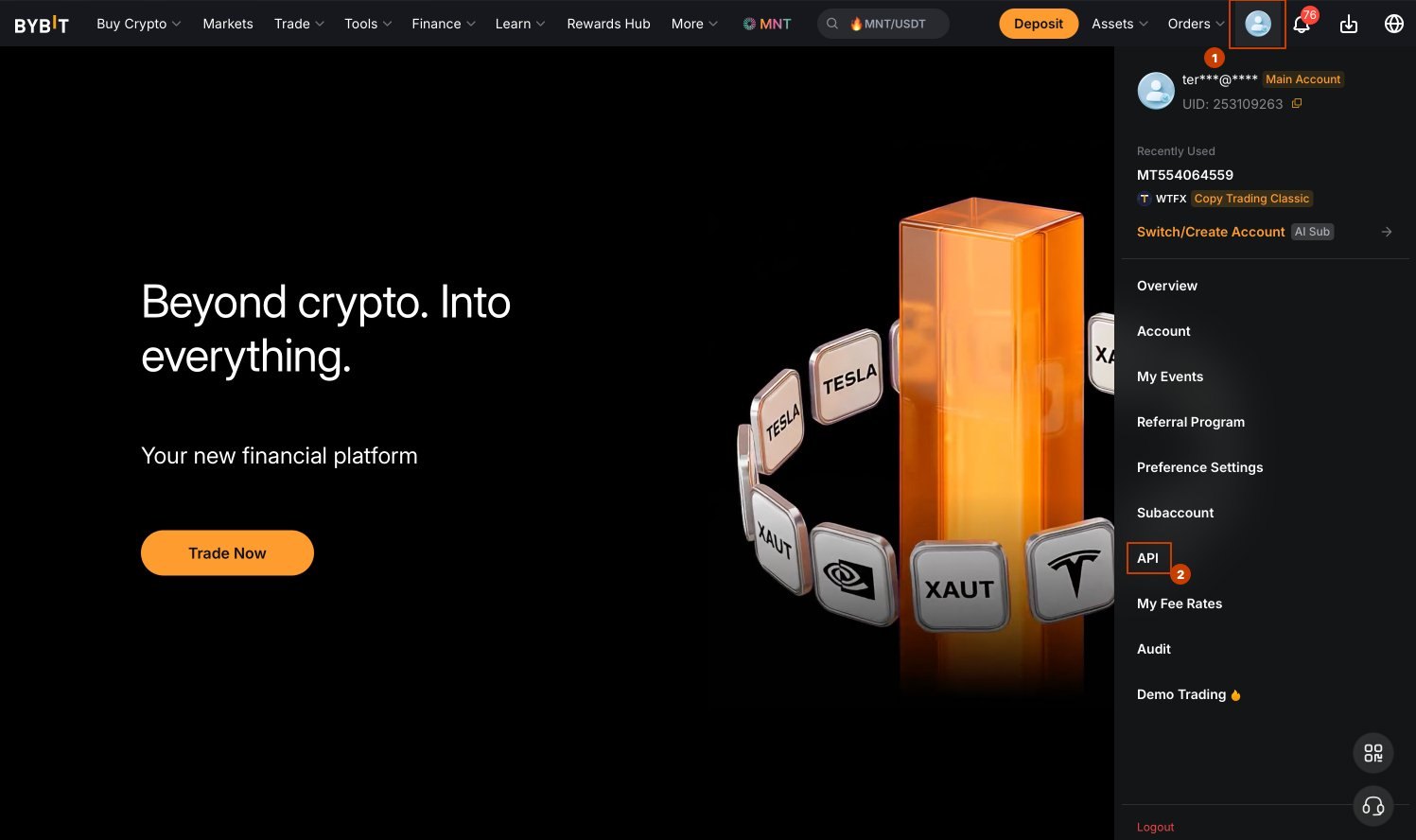
Click on your profile avatar (top right) → select API from the dropdown menu.
Direct link: bybit.com/app/user/api-management
3
Create a new API key
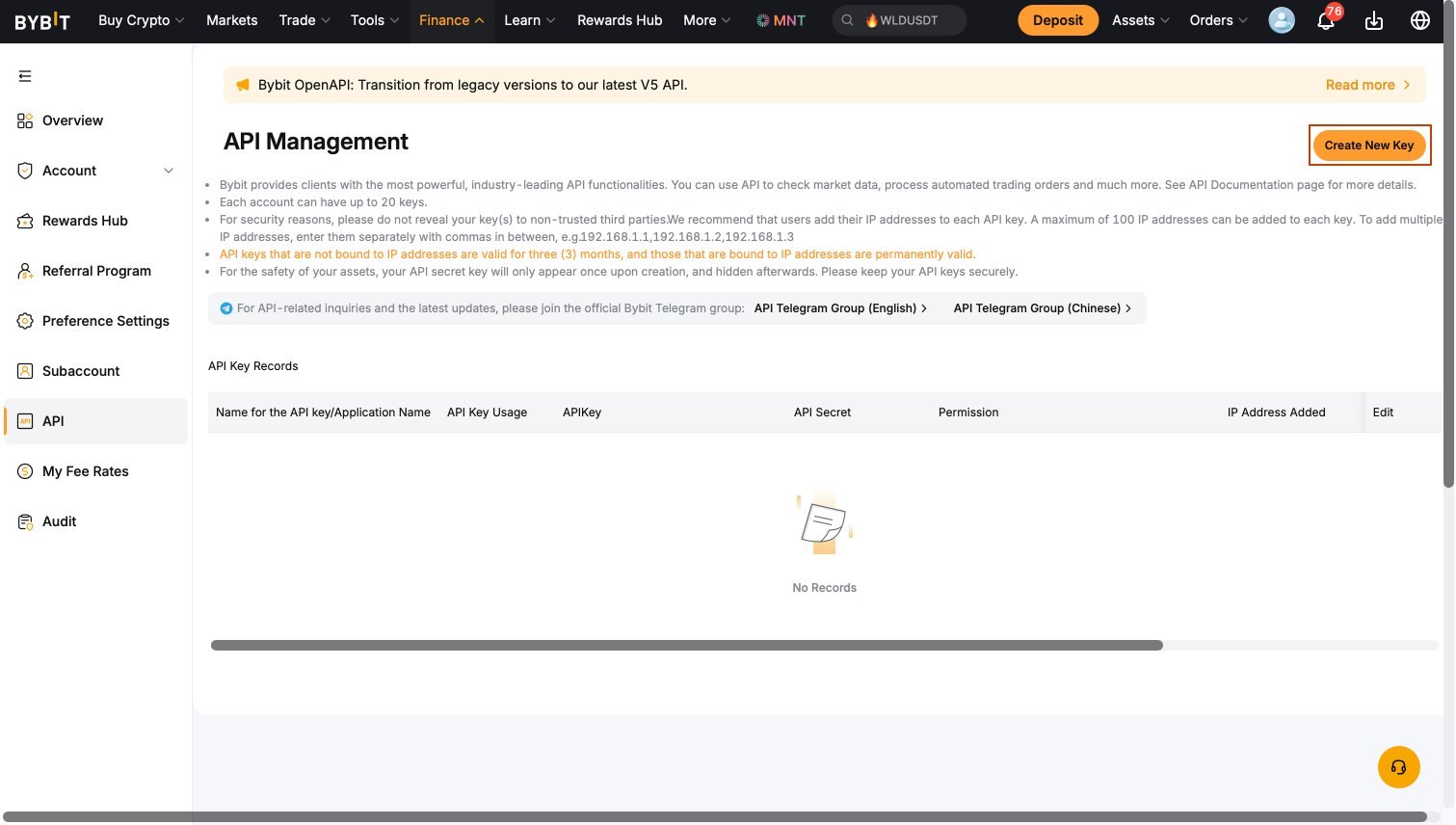
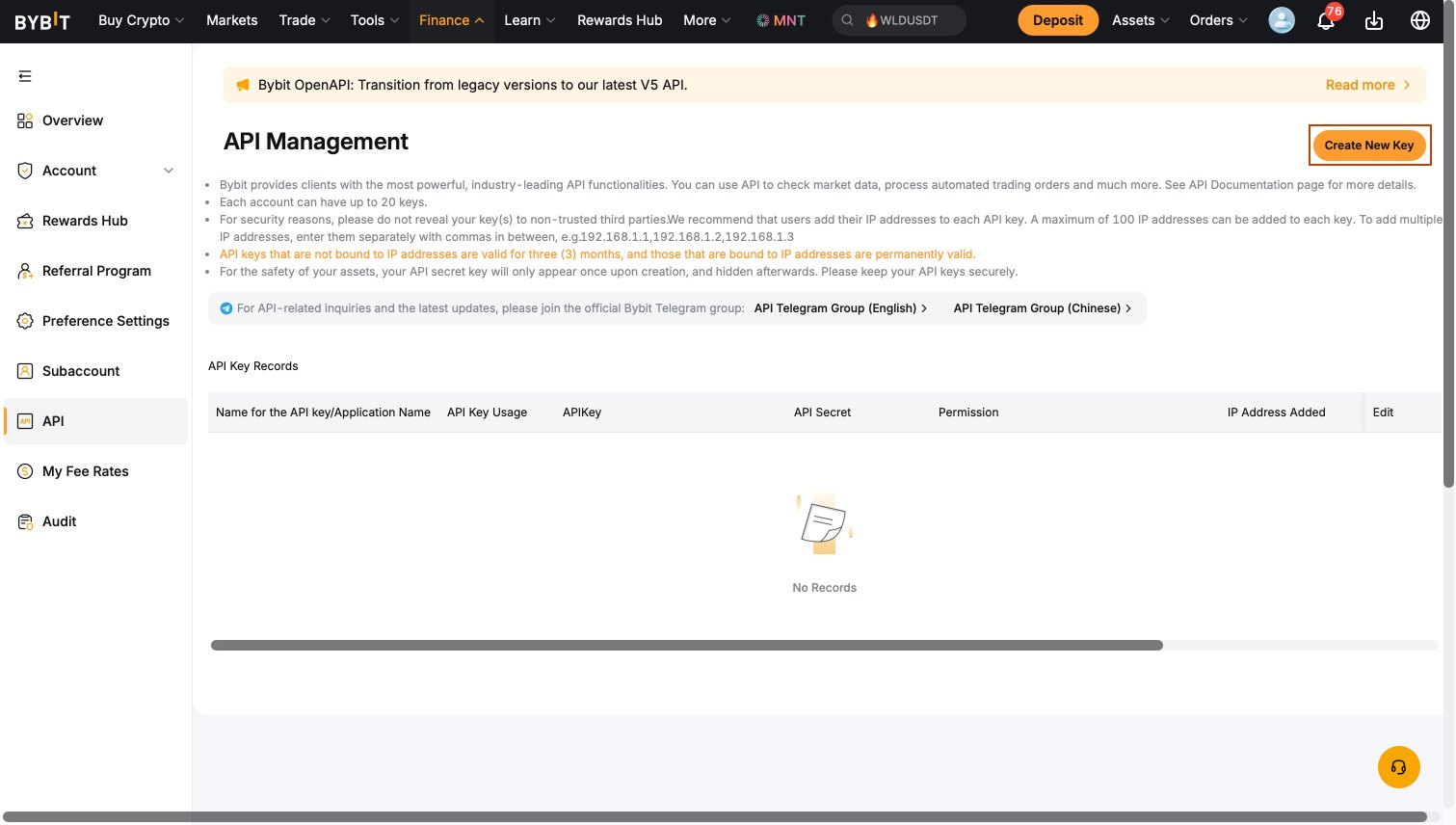
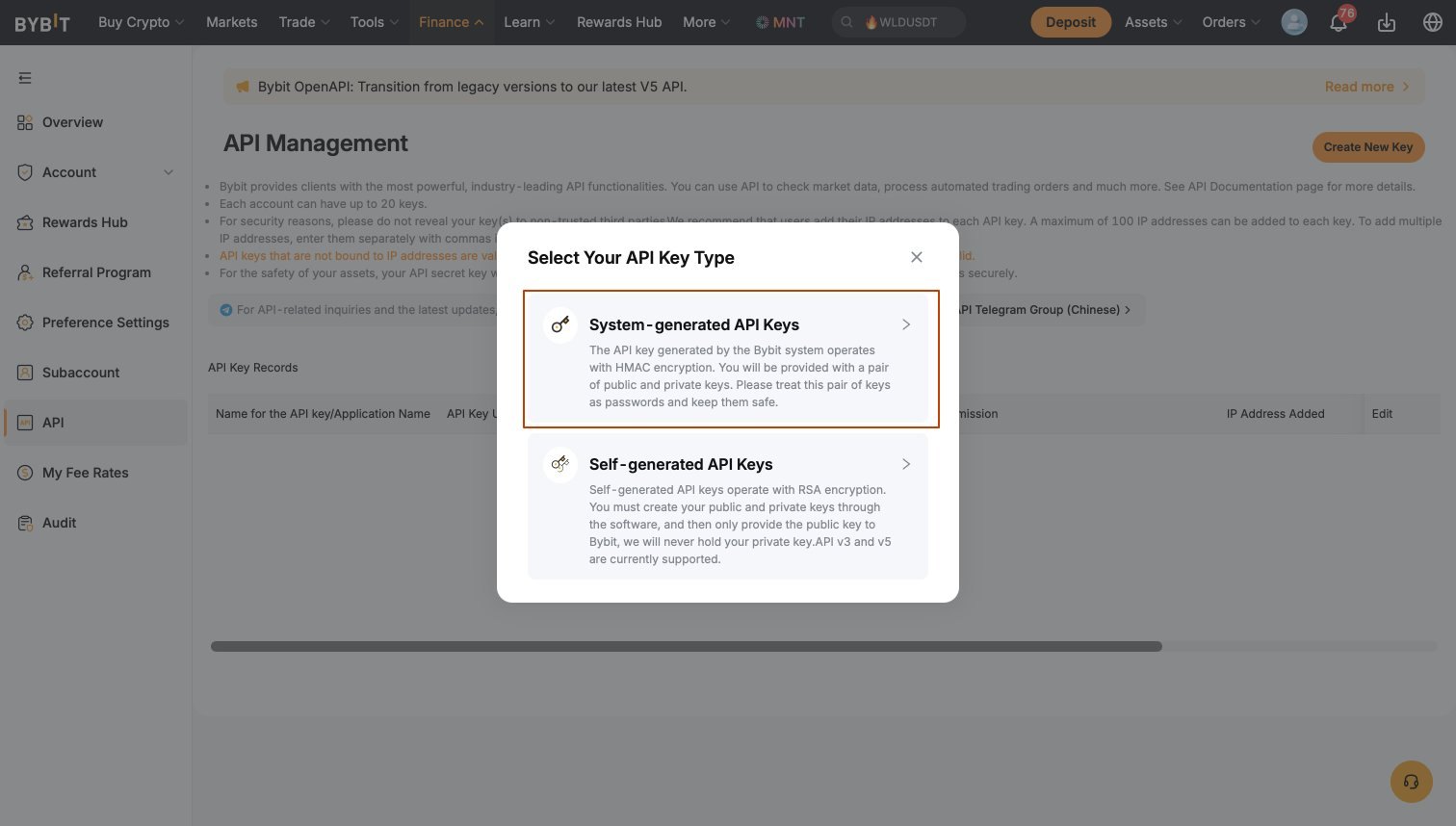
Click Create New Key → select System-generated API Keys → enter a name (e.g. bitstat) → set Read-Only.
4
Set permissions
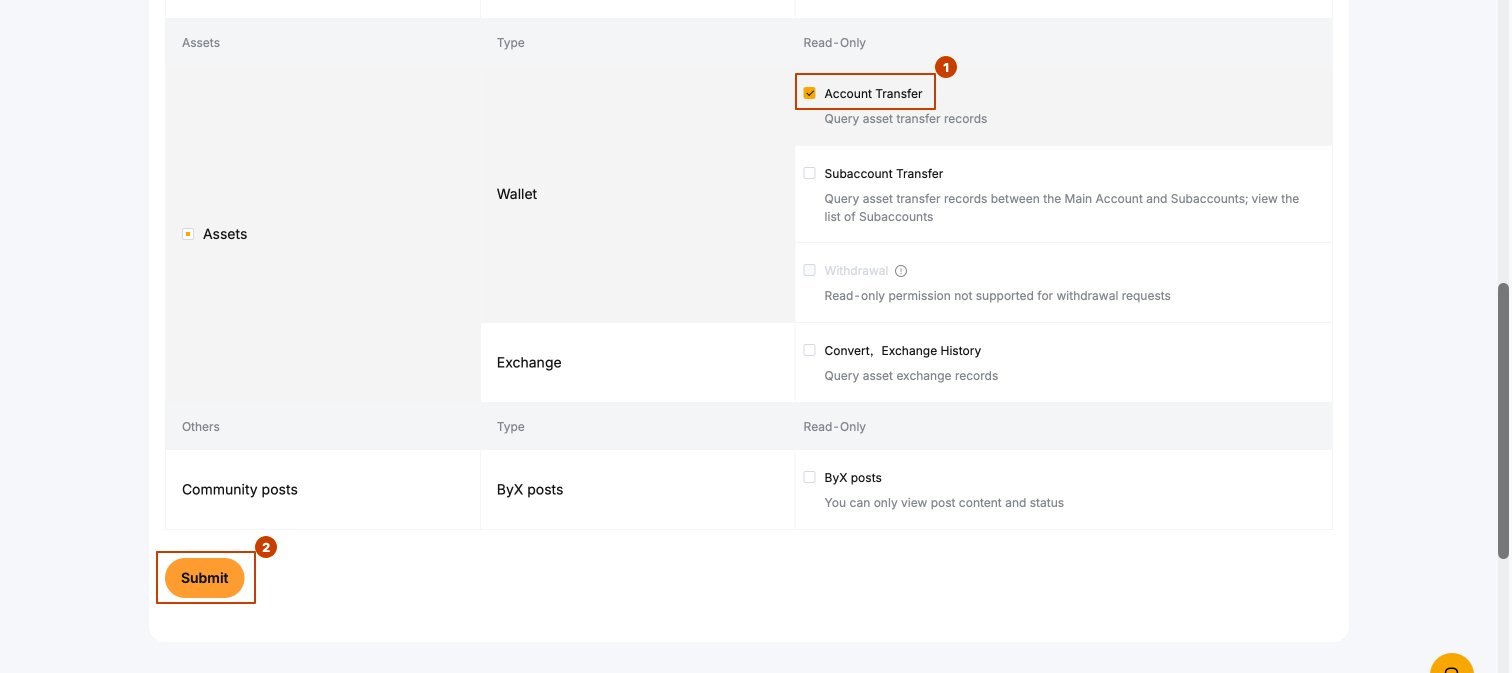
Select API Transaction, set Read-Only, enable Orders and Positions. In Assets section leave only Account Transfer, then click Submit.
Never enable withdrawal permissions. BitStat only reads your trade data.
5
Copy your keys
After creation copy both keys immediately — the Secret Key is shown only once.
6
Connect in BitStat
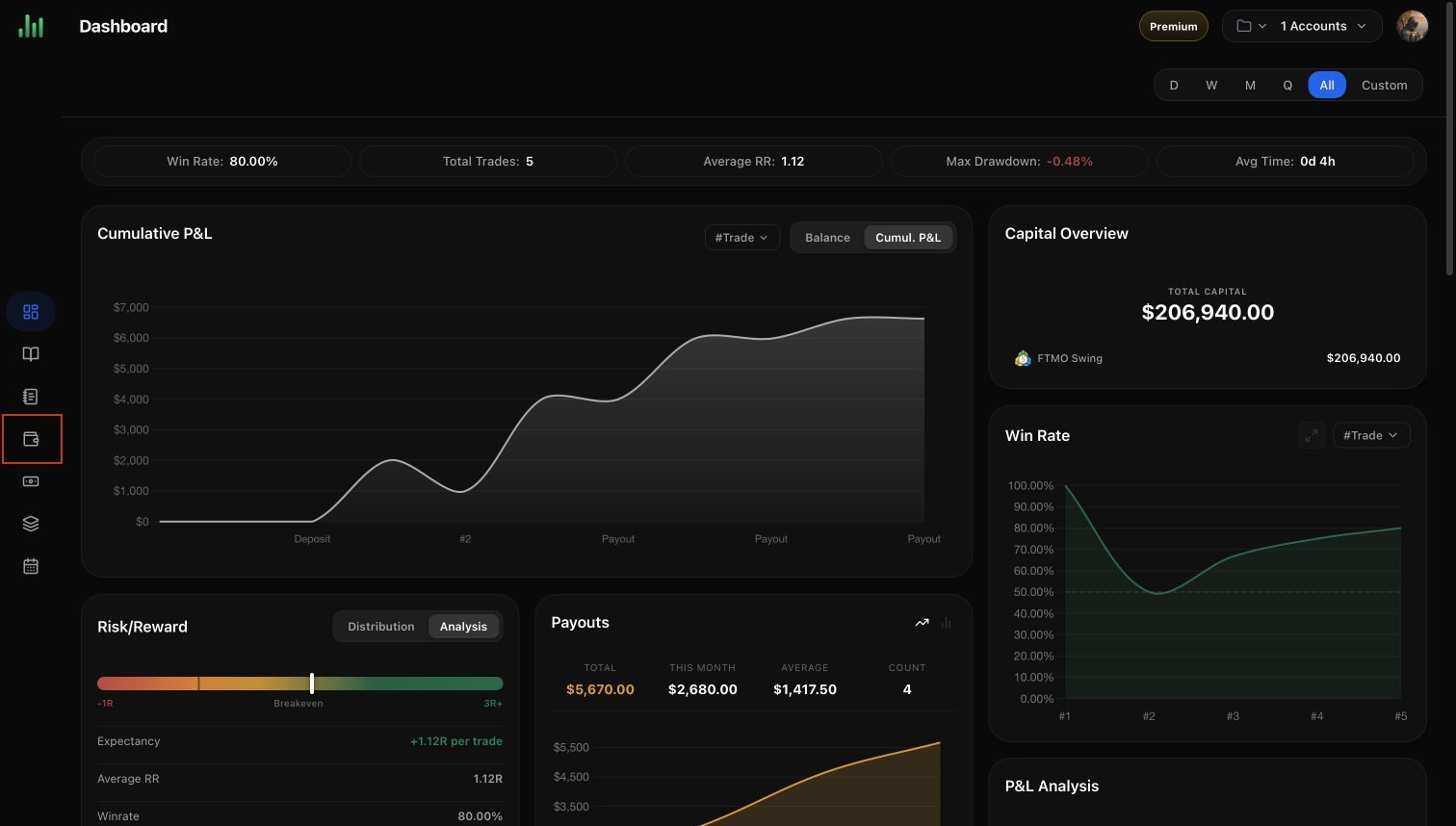
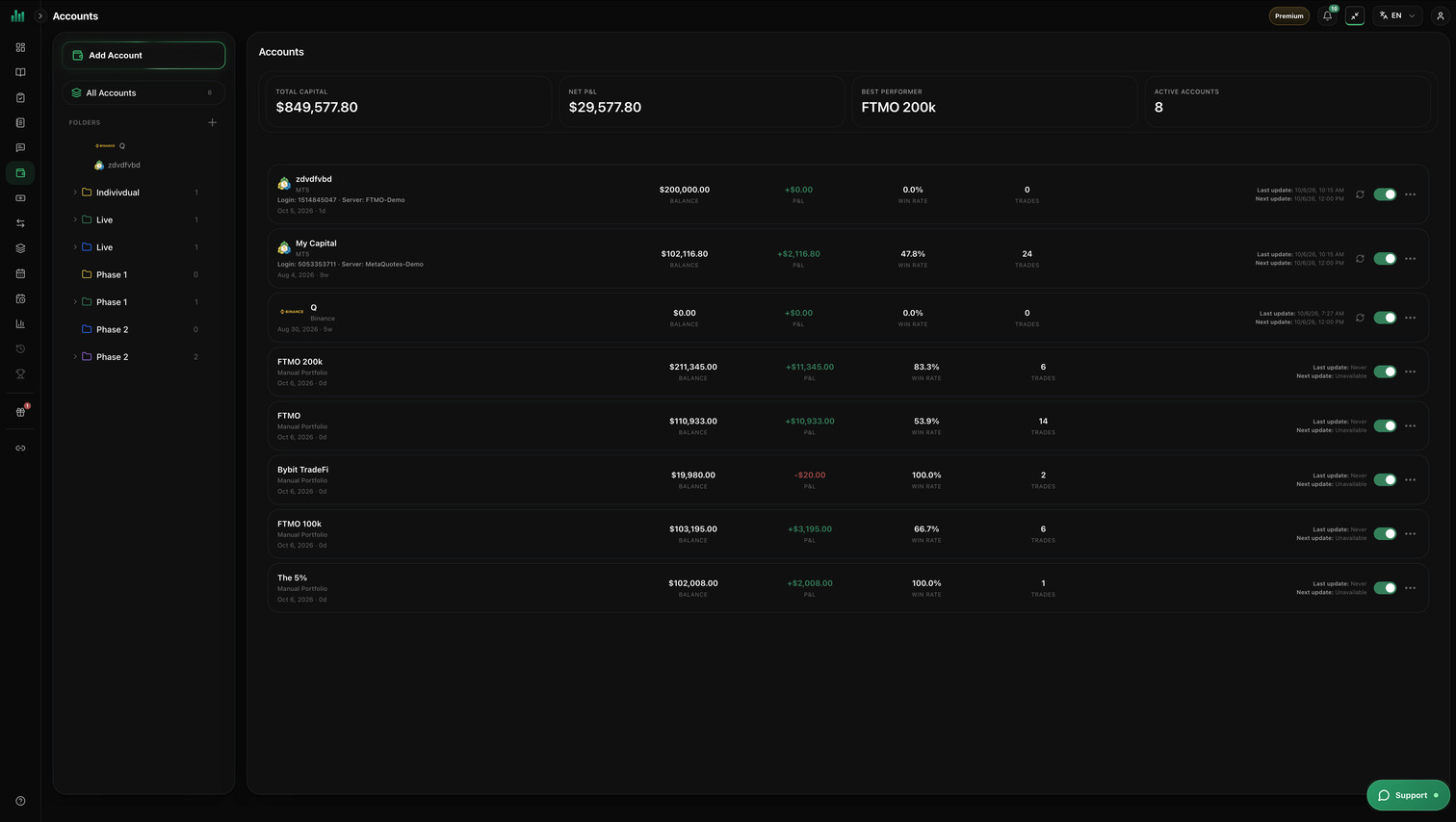
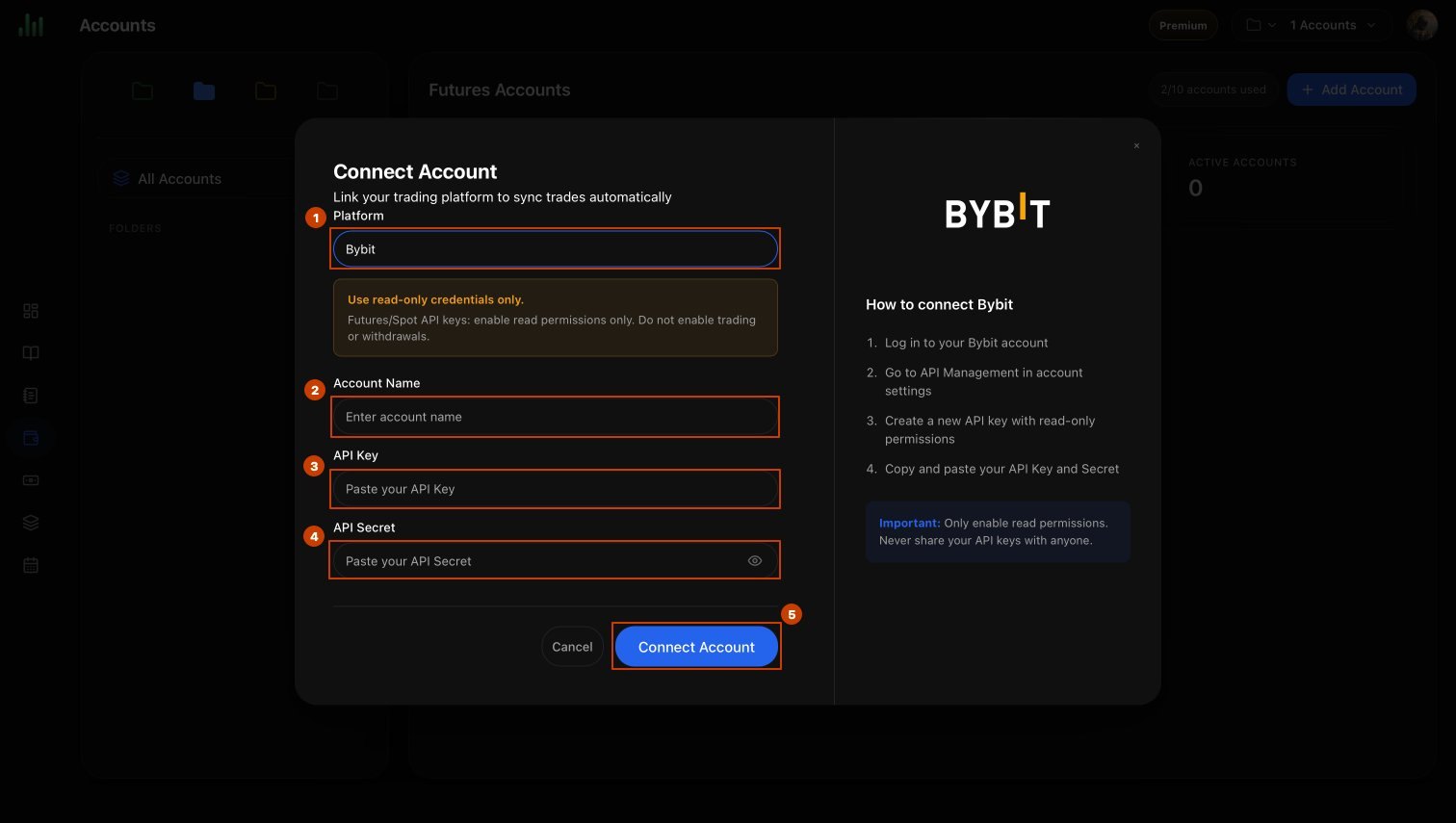
Open Accounts and select Add Account in the left menu. Choose Bybit, select Connect via API, enter Account name, choose Currency, paste API key and API secret → click Connect account.
Your Bybit trades will sync automatically within a few minutes.