 MetaTrader 5
ABK Markets Ltd. trading journal
Connect your ABK Markets Ltd. MT5 account and every closed trade lands in your journal on its own: P&L, win rate, drawdown and the calendar of your trading days.
- Read-only access
- No trading password needed
Server names
ABK Markets Ltd. MT5 servers
Pick the exact server name in BitStat. It is also shown in the MT5 login window and in the welcome email from ABK Markets Ltd..
ABKMarkets-ServerActiveDemo and live accounts often sit on different servers. If your server is not in the list, write to support and we will add it.
Three ways in
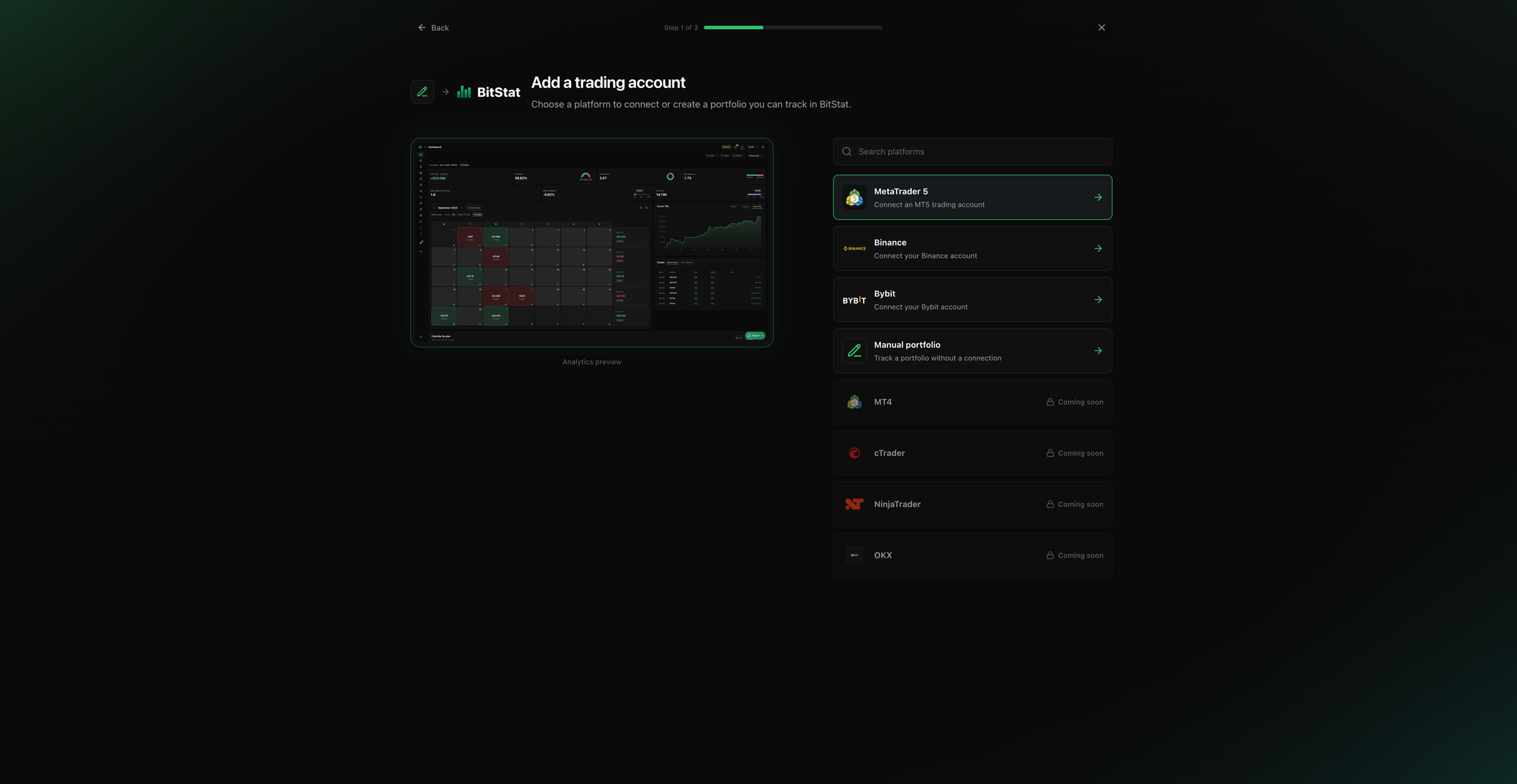
Choose how to bring your trades
Auto-sync
History keeps updating from your connected account. Set up once.
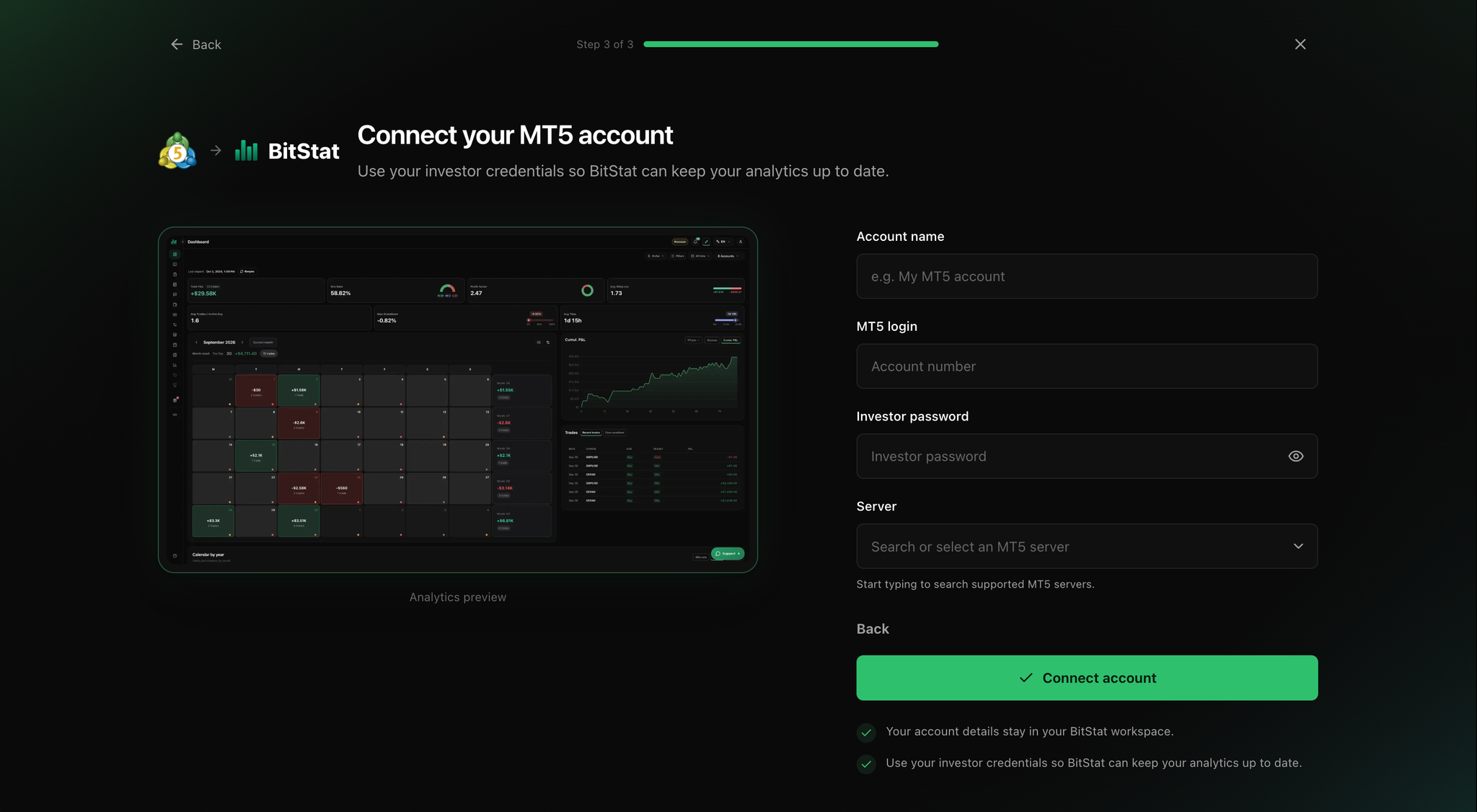
- MT5 login
- Server name from the list above
- Investor password
HTML report import
One-off upload of history saved from the MT5 desktop app. No password needed.
- MT5 desktop app
- .html report, up to 5 MiB
Manual portfolio
No broker connection at all. You add each trade yourself.
- Nothing to prepare
Step-by-step guide
Connecting MT5 is the same for every broker
So the full walkthrough with screenshots lives on one page. It covers ABK Markets Ltd. and any other MT5 broker.
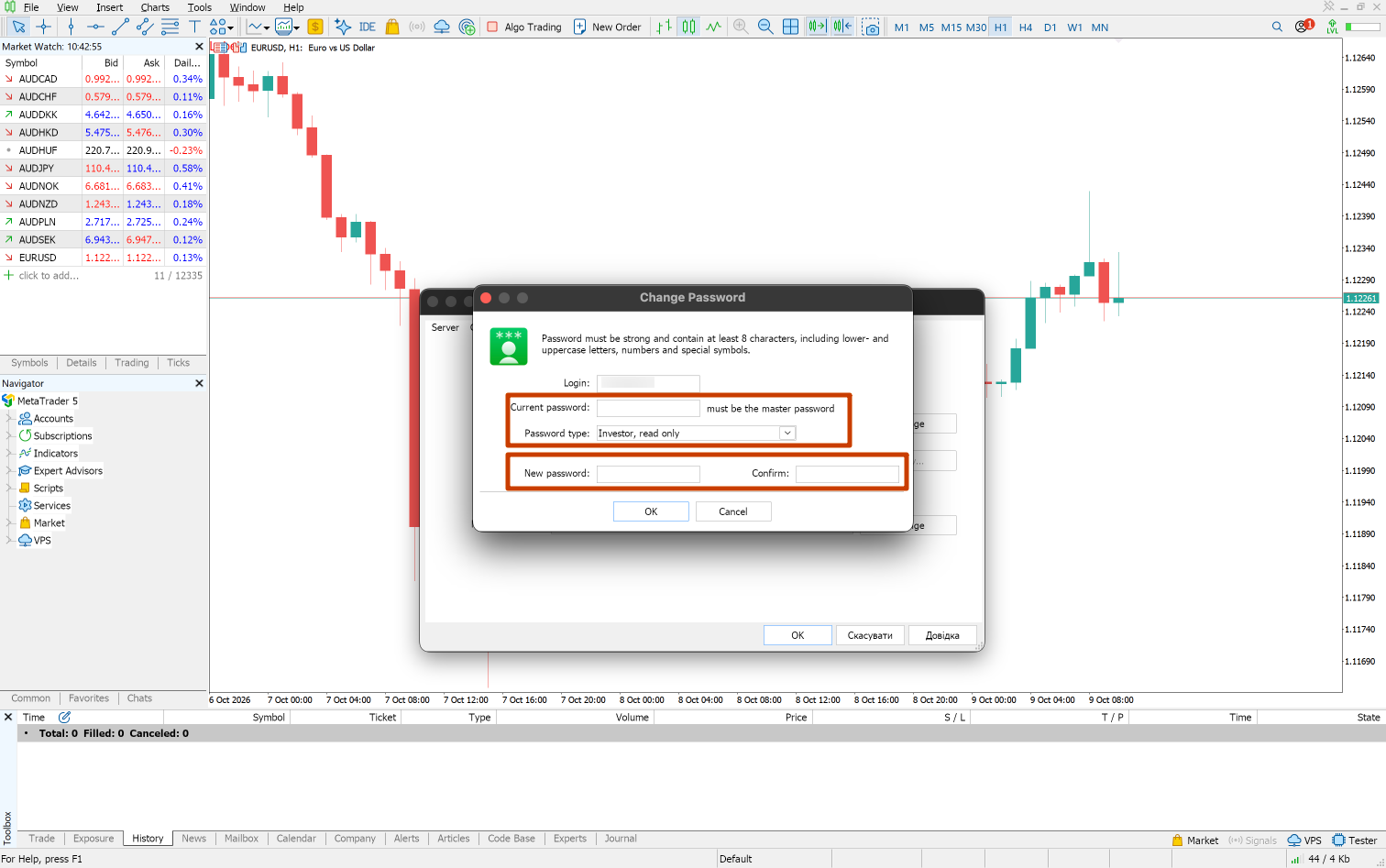
- 3 steps · Auto-sync and creating an investor password
- 4 steps · Exporting and importing an HTML report
- 3 steps · Manual portfolio
- What to check if the connection fails
ABK Markets Ltd. and BitStat: questions
Which server name do I use for ABK Markets Ltd.?
Use the exact server assigned to your account by ABK Markets Ltd.. The list above shows active ABK Markets Ltd. MT5 servers, including ABKMarkets-Server; accounts may use different servers.
Do I need an investor password to use ABK Markets Ltd. with BitStat?
Only Auto-sync uses an MT5 investor password. File upload uses an exported .htm or .html report, and a manual portfolio does not connect to a broker.
Can BitStat place trades on my ABK Markets Ltd. account?
No. BitStat connects with the investor password, which is read-only by design in MetaTrader 5. Your trading password is never asked for.
The connection fails. What should I check?
Most often it is the server name or an extra space in the password. The full checklist is in the MT5 guide.
Other Forex MT5 brokers
Turn your ABK Markets Ltd. trades into a clear record.
BitStat helps you review the decisions behind your trades, so you can see which setups earn their place in your process.